Dual Storage System - DISK & VRAM
Switch seamlessly between DISK and VRAM storage modes. Manage files with authentic DOS commands including DIR, CD, MKDIR, TYPE, COPY, and DEL for complete file system control.
 PengCLI
Retro DOS Fantasy Console for Game Development
Experience authentic MS-DOS nostalgia with modern Lua development tools. Create retro games, explore a virtual file system with classic DOS commands, and code like it's the 1990s.
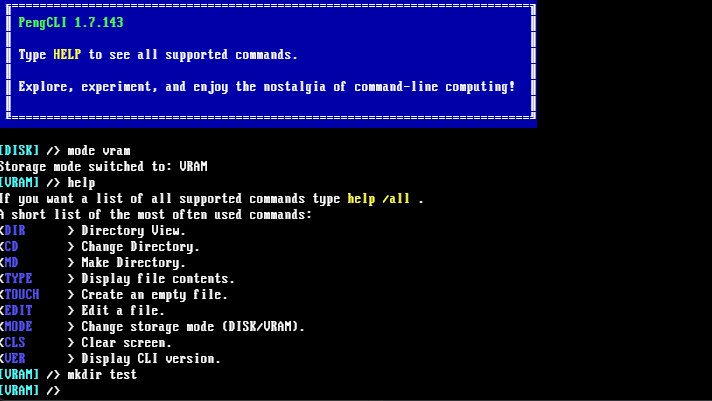
Switch seamlessly between DISK and VRAM storage modes. Manage files with authentic DOS commands including DIR, CD, MKDIR, TYPE, COPY, and DEL for complete file system control.
Pengcli Integrated Editor features Lua syntax highlighting, UTF-8 character support, and familiar keyboard shortcuts. Edit code directly in the terminal environment with modern conveniences.
Full-featured Peng API for creating games and graphical applications. Switch between terminal and GFX mode instantly to build interactive retro experiences.
Pixel-perfect VGA font rendering with authentic 16-color DOS palette. Use color codes like §F for cyan and §E for yellow to recreate the classic DOS aesthetic.
Execute Lua scripts in a sandboxed, secure environment. Use the RUN command to launch your game creations immediately without compilation or setup.
Create retro games and DOS applications directly in the terminal with Lua scripting
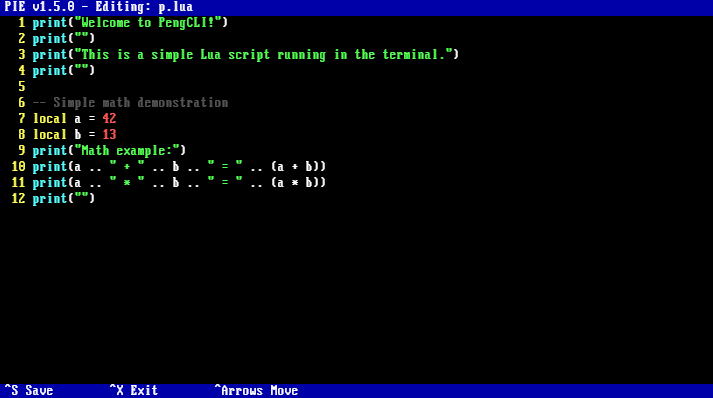
Simple Lua script demonstrating terminal mode programming with authentic DOS interface
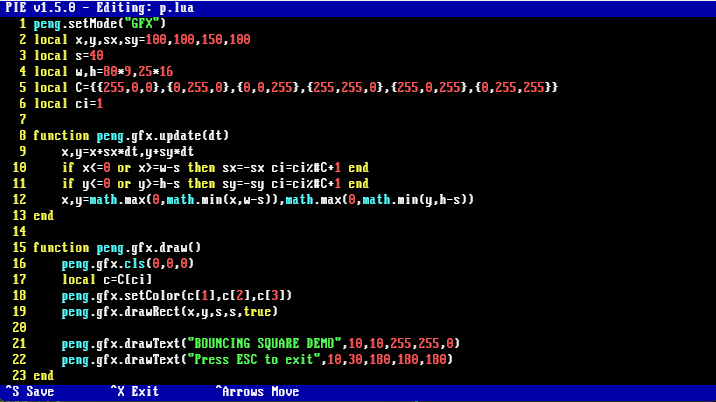
Interactive retro graphics application built with the Peng API for game development
Cross-platform support: Windows - Standalone executable, no installation required
DOWNLOAD PENGCLI FREE100% compiled program - Zero dependencies - Ready to run immediately
